Korg M1REX
The Korg M1 workstation in rack form with ROM expansion — the instrument that defined the sound of an era, from its glass-shattering piano to the iconic 'Universe' pad.
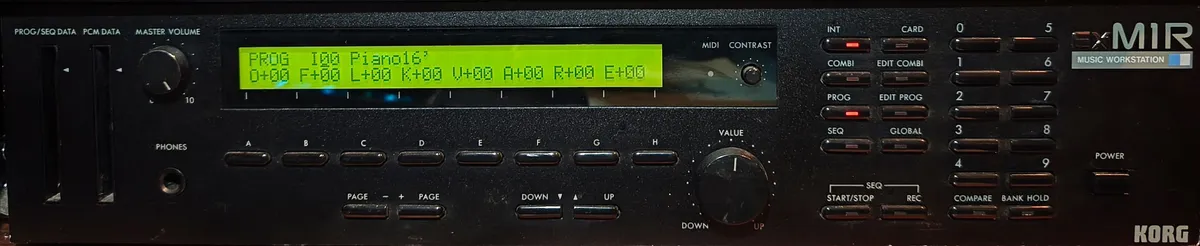
Overview
Few instruments have shaped popular music as profoundly as the Korg M1. Introduced in 1988, it became the best-selling synthesizer of its time — and its DNA is audible in an enormous amount of late-80s and early-90s dance, pop, and film music.
The M1REX is the rack-mounted M1R with the EX ROM expansion card installed, adding additional waveforms and expanding the sound palette beyond the already generous base library. The synthesis architecture is Korg’s “AI” (Advanced Integrated) — a rompler-style engine using 8-bit PCM samples as oscillators, layered and shaped through a digital filter and amplifier with Korg’s characteristic modulation structure. Sixteen-voice polyphony, eight-part multitimbrality.
The sounds are immediately recognisable: the M1 Piano, the Glass Organ, the Universe pad. But dig into the preset library and there’s a remarkable range — rich strings, punchy basses, atmospheric textures, and drum kits that defined a genre.
In rack form it loses the keyboard but gains convenience in a studio context — MIDI in, and it responds across all 8 parts simultaneously.
- Release Year: 1989
- Polyphony: 16-voice, 16-oscillators (single-mode)
- Timbrality: 8-part
- Sequencer: 10 songs, 100 patterns, max. 7700 notes
My unit
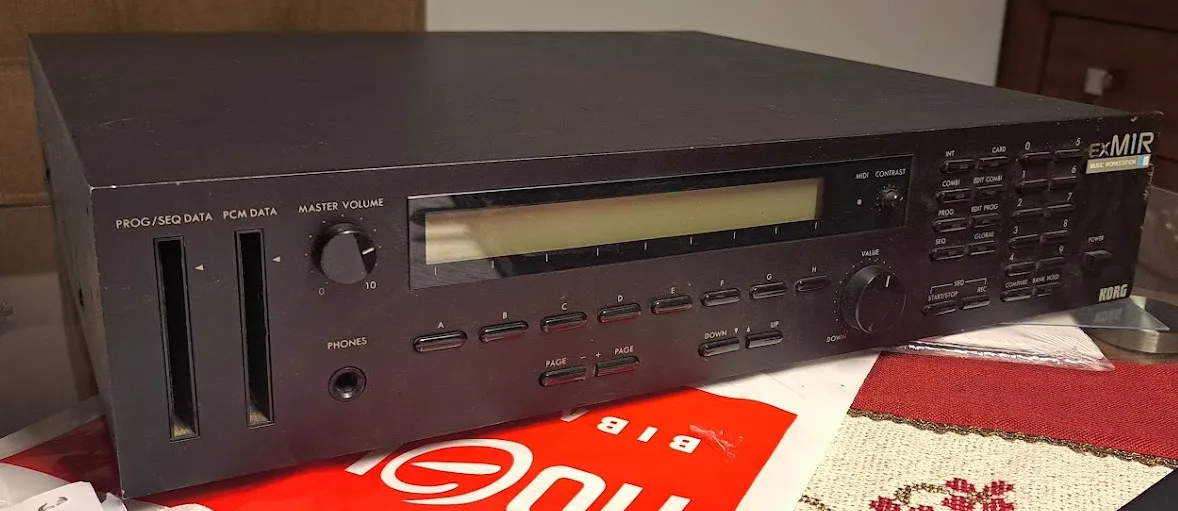
I acquired the Korg M1R-EX in January 2025 from a 20-year-old who claimed it belonged to a friend of his. It had been sitting in storage for years, and when his friend moved abroad, he left it with him. He gave it to me in non-working condition. Specifically, the display wouldn’t turn on and showed nothing.
This display used two connectors: one with 5V exclusively for the backlight power and another for data (14 pins because the display was compatible with the Hitachi HD44780 controller) — this one also used 5V for digital communication. After a lot of troubleshooting, I discovered that the backlight connector had been plugged into the wrong slot, swapped with another connector. With this incorrect connection, the backlight was receiving -5V instead of +5V. After connecting them properly, the display lit up! However, it still didn’t show anything. Only the backlight was working.
A button on the front panel had been glued and secured with silicone, so I assume the previous owner attempted a repair, had to disassemble everything, and during reassembly, connected the connectors incorrectly.
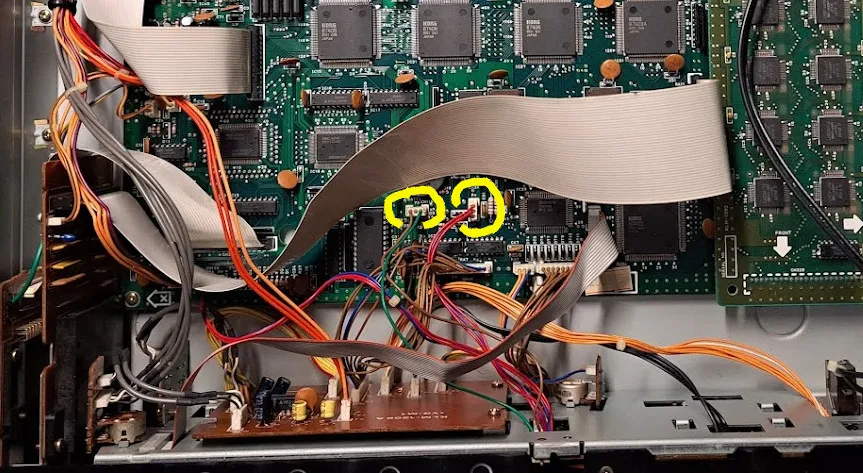
I believe this is a significant design flaw by the manufacturer, as the connectors should not be so easily interchangeable. Typically, connectors have different shapes or pin counts to prevent incorrect connections.
Continuing my investigation into why the display wasn’t showing anything, I found that one of the pins on the other connector, which controls the contrast of the LCD display, wasn’t receiving the necessary voltage. In the expected range of 0V to 5V, it was reading 0V. Since the synth seemed to boot up — pressing the buttons would light them up, meaning the device was responding — I guessed that the display might actually be working, but the contrast was set incorrectly.
Further investigation revealed that the reversed connector connection had caused excessive heat in one area of the circuit board, damaging the continuity of three traces. Unfortunately, I’m not a professional when it comes to repairing traces on circuit boards, so instead of fixing the traces, I simply bridged the relevant points with wires. With three wires connected to the correct spots, the synth finally worked normally!
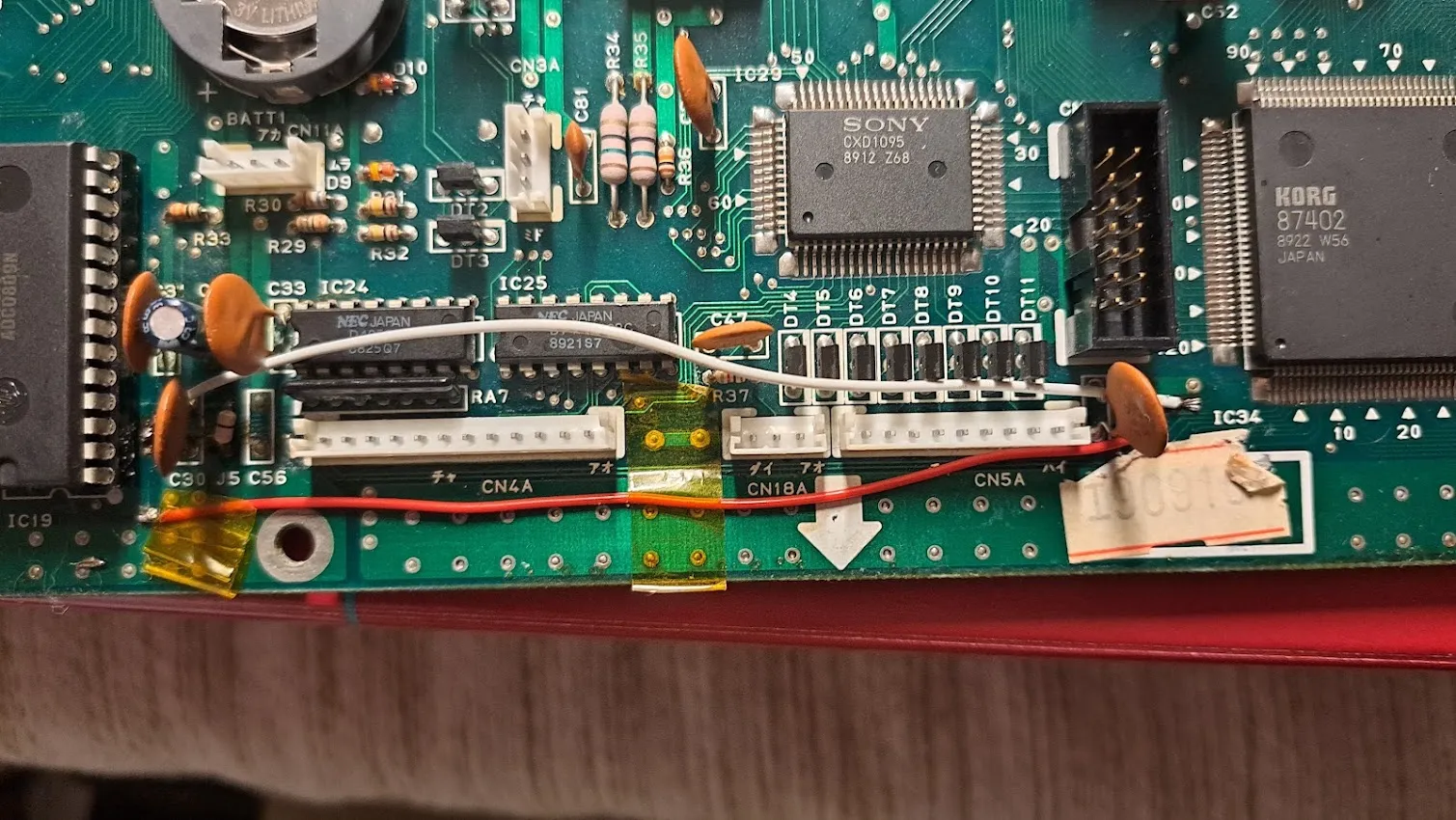
After that, I proceeded with the following steps:
- A thorough cleaning.
- Hardware reset (holding the “Int,” “Card,” and “Combi” buttons while powering on the device).
- In the MIDI settings, I enabled System Exclusive messages. By default, this setting is DISABLED to protect any existing configurations.
- I reloaded the factory presets using the Midi-OX software. The presets are different in the EX version.
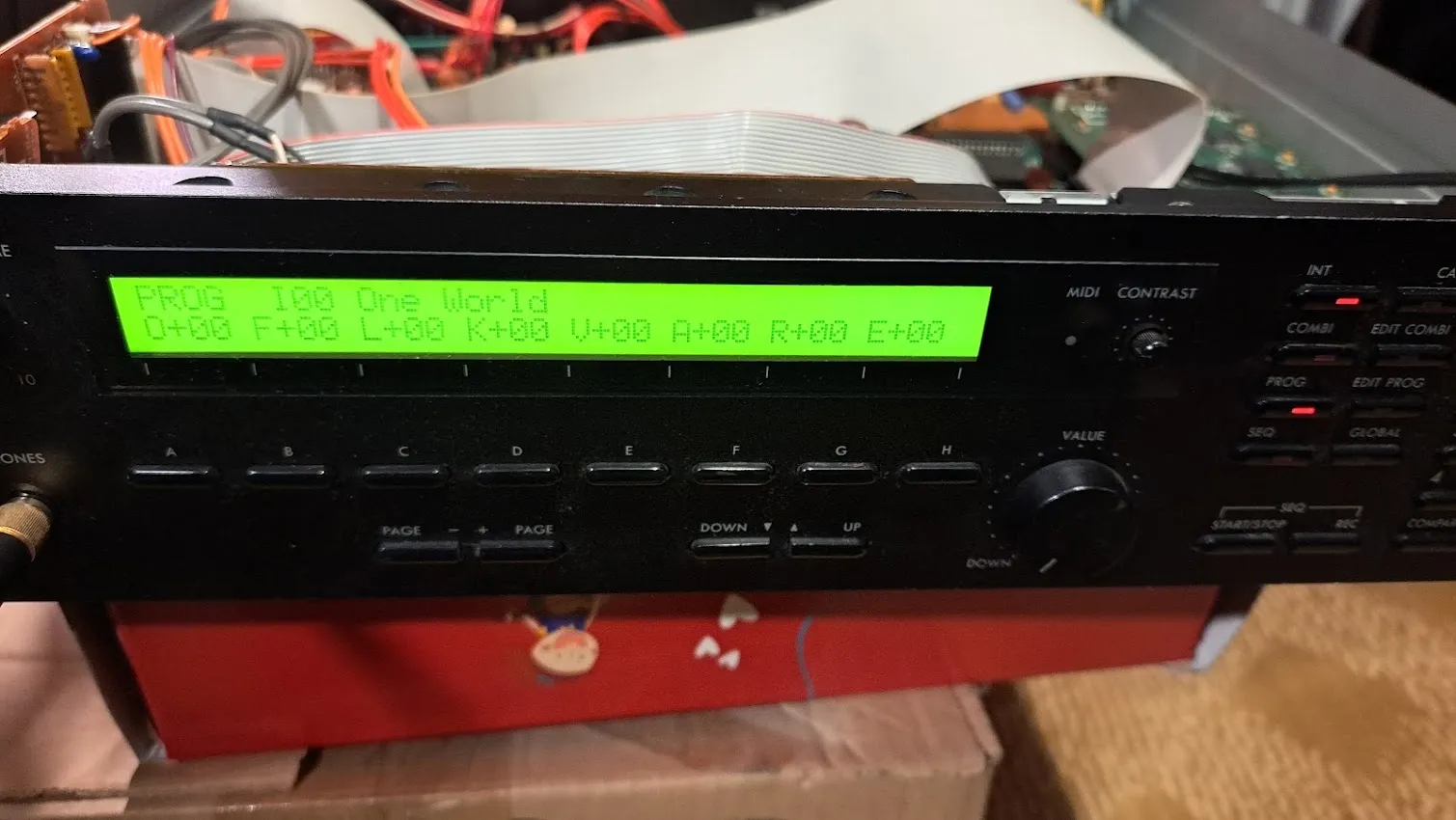
Now it’s ready to be part of my future productions!